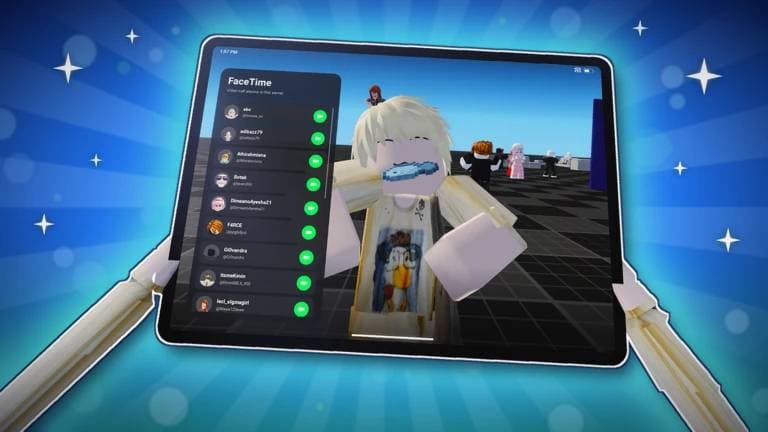
Want to buy more games and customize your virtual tablet in Apple iPad Original? This Roblox experience lets you explore a giant iPad, try different mini-games, and personalize your device with in-game items. If you need extra Coins, redeemable codes may help you get started.
In this guide, you'll find the latest reported Apple iPad Original codes for October 2026, their rewards, and instructions for redeeming them. I've also included a few beginner tips to help you get familiar with the game.
All Apple iPad Original Codes
Several Roblox code-tracking websites currently list two codes for Apple iPad Original. However, their status has not been consistently confirmed in-game, so your results may vary.
| Code | Reward |
|---|---|
1MVISIT | Free Coins (some trackers report 2,500 Coins) |
900KVISIT | 2,000 Coins |
Important: The rewards above are based on published code listings, not independent in-game testing. Aprasi's beginner guide reports that it could not confirm any working codes or find a visible redemption interface. If the codes do not work for you, check the game's latest update and official community announcements.
How to Redeem Apple iPad Original Codes
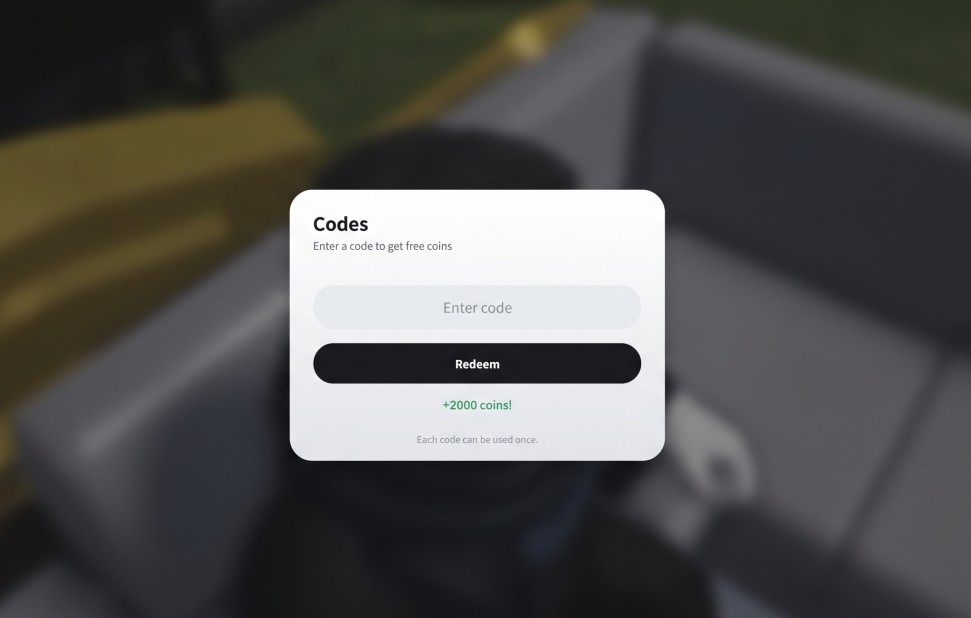
If the game has a working code redemption option, follow these steps to claim your rewards:
- Open Roblox and launch Apple iPad Original.
- Look for the Codes button on the left side of the screen.
- Click the button to open the redemption menu.
- Enter a code from the list above.
- Press Redeem to claim your Coins, if the code is accepted.
If you cannot find a Codes button, the redemption feature may not be available in your current version of the game. Avoid following instructions for a different Roblox experience, as its menus may work differently.
What Is Apple iPad Original on Roblox?
Apple iPad Original is a roleplay experience created by Roblox developer @avoidant4fun. Instead of fighting enemies or completing a long campaign, you explore a giant virtual tablet and interact with its features.
The game includes a virtual App Store, arcade-style mini-games, tablet customization, and other activities. It is designed for players who want to explore and experiment rather than rush through levels.
You can play at your own pace, try different activities, and personalize your virtual device as you become more familiar with the experience.
What Can You Do With Coins?
Coins are the main in-game currency used for customization and certain purchases. Depending on the available items, you can use them to:
- Download games: Explore the virtual App Store and try available experiences.
- Customize your device: Get different cases and other cosmetic options.
- Unlock titles: Personalize your profile or device with available titles.
If you're new to the game, it is worth exploring the available items before spending all your Coins on one purchase.
Best Beginner Tips for Apple iPad Original
You don't need to learn complicated controls to enjoy Apple iPad Original. These tips can help you get started.
Explore the App Store
Start by checking out the virtual App Store. It is one of the main features of the experience and gives you a reason to explore the tablet.
Try the mini-games
The game features activities such as Astro Blaster, Sneak Arena, Flings, and Volleyball, according to the latest beginner guide. Try different options to find the ones you enjoy most.
Save Coins for items you like
You may find several customization options that look interesting. Check their costs first so you can spend your Coins on the items you actually want.
Check for updates
New updates can introduce features, fix problems, or change how the game works. If a code or feature is unavailable, checking the latest game information is a good next step.
When Apple iPad Original Codes Don't Work?
If a code fails, there are a few possible reasons.
The code has expired: Developers can disable promotional codes at any time. A code listed on a third-party website may no longer work.
The code was entered incorrectly: Copy the complete code and check that there are no extra spaces or missing characters.
The code has already been redeemed: Some promotional codes can only be used once per account.
The redemption feature is unavailable: If you cannot find the Codes button, the game may not currently offer a working redemption system. Check the latest version and developer announcements before trying again.
Where to Find More Apple iPad Original Codes
The best place to look for new codes is the game's official Roblox page and any community channels linked by the developer.
You can also check code-tracking websites after major updates or visit this article again for a refreshed list. Remember that third-party listings can take time to