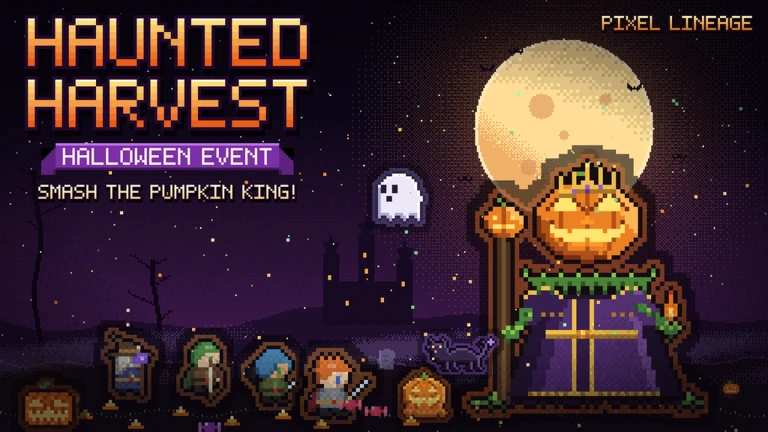
This Roblox RPG can be tough, especially when you're still learning how its combat system works. A few extra Lives, Race Spins, or Potions can make a difference when you're building your character and preparing for harder fights.
The good news is that you can claim free items by redeeming Pixel Lineage codes. These rewards can include Gold, Knowledge, Candy, and spins to change your character's Race or Talent.
Below, you'll find the latest reported Pixel Lineage codes for October 2026, their rewards, and instructions for redeeming them.
All Working Pixel Lineage Codes
Here are the codes currently reported as active by recent code lists. Redeem them as soon as possible because limited-time codes can expire without warning.
| Code | Rewards |
|---|---|
0y0 | 10 Race Spins, 10 Talent Spins, and 1 Life |
SAKURA | 10 Race Spins, 10 Talent Spins, 1 Life, and 1 Renewal Crystal |
TORMENT | 1,000 Gold, 100 Knowledge, 3 Potions, 8 Race Spins, and 8 Talent Spins |
COMMUNITY! | 5 Race Spins, 5 Talent Spins, and 1 Life |
OCTOBER | 25 Candy |
TUTORIAL | 3 Race Spins and 3 Talent Spins |
Note: These rewards come from published code lists and have not been independently tested in-game for this article. The availability of individual codes may change.
The 0y0 code starts with the number zero, not the letter O. Make sure you enter it correctly.
What About the LEGENDS Code?
Some third-party trackers have also reported LEGENDS, which reportedly gives 2,500 Gold, 100 Knowledge, 5 Potions, 5 Race Spins, 5 Talent Spins, 3 Sunforged Whetstones, and 3 Violet Whetstones.
However, its status is not consistent across the latest lists. You can try it in-game, but treat it as an unconfirmed additional code rather than a guaranteed active reward.
Expired Pixel Lineage Codes
The following codes have been reported as expired or inactive by recent trackers:
| Code | Status |
|---|---|
EARLY | Reported expired |
THANKYOU | Reported expired |
SLOOTH | Reported expired by some trackers; status may vary |
If one of these codes fails, it may have expired. You can still try it if you find a newer announcement from the developers confirming that it has been reactivated.
How to Redeem Pixel Lineage Codes
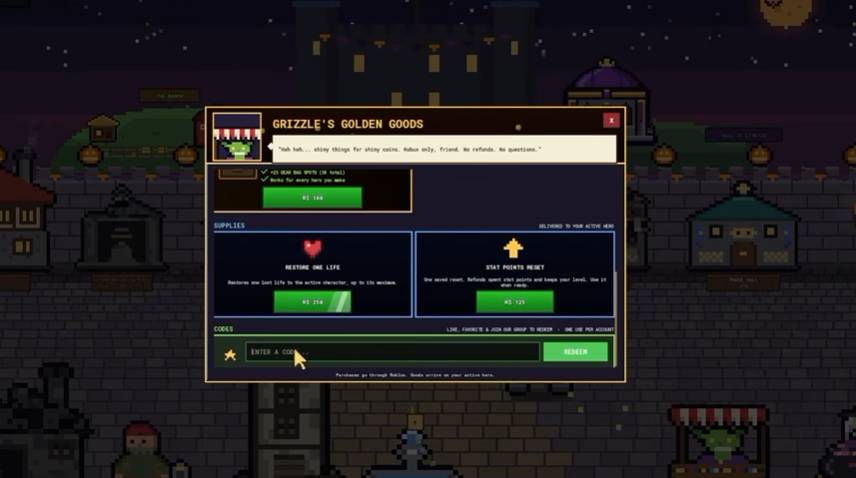
You need to complete a few requirements before redeeming codes. Start by joining the Pixel Lineage Roblox community group and liking the game if required by the current version.
Once you've completed those steps, follow this guide:
- Open Roblox and launch Pixel Lineage.
- Enter the game and head to the main castle area.
- Find the Goblin Merchant, located near the bottom-right area of the screen.
- Open the merchant's menu and scroll down to the code redemption section.
- Enter one of the working codes from the table above.
- Click Redeem to claim your rewards.
Repeat these steps for each code you want to use. If a code is accepted, its rewards should be added to your account or inventory.
What Do Pixel Lineage Codes Give You?
If you're new to the game, it helps to know what the different rewards are used for.
Race Spins: These let you reroll your character's Race. They can help you explore different character options and find one that fits your preferred playstyle.
Talent Spins: Use these to reroll Talents and experiment with different character builds.
Gold: This is an in-game currency that can be used for purchases and progression.
Knowledge: This is another progression resource that you can collect through gameplay and code rewards.
Potions: These consumables can help during your adventures, depending on the type of potion you receive.
Lives: Extra Lives provide an additional safety net in a game where losing a character can be costly.
Candy: Seasonal Candy is associated with event activities and can be used for eligible event rewards.
Why Sometimes Codes Not Works?
If you enter a code and receive an error, check these common issues before trying again.
You haven't joined the Roblox group
Pixel Lineage may require you to join its community group before using codes. Complete the requirement and rejoin the game if the redemption menu still rejects your entries.
The code has expired
Some codes are linked to updates, community milestones, or seasonal events. Developers can disable them at any time, so an older code list may contain entries that no longer work.
You entered the code incorrectly
A small typo can prevent a code from being accepted. Copy the code directly from the table and check for unwanted spaces. Pay special attention to 0y0, which starts with a zero.
You've already redeemed the code
Most codes can only be redeemed once per account. If you've already claimed a reward, entering the same code again won't normally give you another one.
The game hasn't updated properly
If a newly released code doesn't work, leave the current server and join again. This can help if the game has recently received an update.
How to Get More Pixel Lineage Codes
The best way to find new codes is to follow the game's official community channels. Developers often release rewards alongside updates, special events, and community milestones.
Here are a few places to check:
- Pixel Lineage Discord: Look for announcements and code updates shared by the development team.
- Roblox community group: Check the group's posts for new rewards and game announcements.
- Game updates: Watch for new content releases and seasonal events, as these may introduce additional codes.
You can also bookmark this page and return after major updates to check for newly reported rewards.