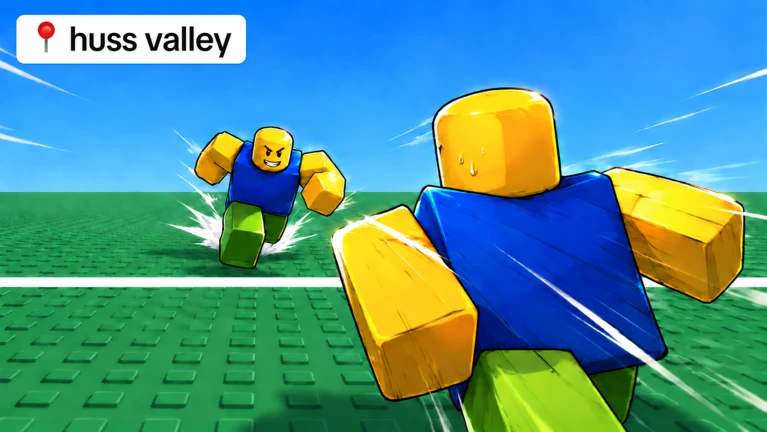
The game is all about surviving dangerous encounters, escaping threats, and improving your chances of making it through each run. Having extra coins can make progression easier, especially when you want to upgrade your speed or try different items.
In this guide, you will find the latest developer-listed Huss Valley codes, additional codes reported by gaming websites, instructions for redeeming them, and tips for fixing codes that do not work.
All Huss Valley Codes
The table below separates codes listed in the game's official description from additional codes reported by third-party sources. This distinction matters because a code appearing on a gaming website does not guarantee that it still works in the current version.
| Code | Reward |
|---|---|
UPDNINE | Reward not specified by the developer |
BRANDNEWDELAY | Reward not specified by the developer |
Other reported Huss Valley codes
The following codes have appeared in recent code lists from gaming websites. Some may still work, but their current status and rewards have not all been independently confirmed. Try them after the developer-listed codes.
| Code | Reported reward |
|---|---|
SORRYBRO | 1,000 Huss Coins |
MINIUPD | 500 Huss Coins |
DELAYVALLEY | 1,000 Huss Coins |
DELAYPT2 | 1,000 Huss Coins |
BLACKFLASH | 500 Huss Coins |
VISITS1M | 500 Huss Coins |
UPD7 | 500 Huss Coins |
SORRYFORDELAY | 2,000 Huss Coins |
INDEX | 1,100 Huss Coins |
ASCENSIONS | 1,000 Huss Coins |
RACESFIXED | 500 Huss Coins |
THANKS | 500 Huss Coins |
THOUSANDFAV | 350 Huss Coins |
Expired Huss Valley Codes
The following code has been reported as expired in previous code lists:
| Code | Status |
|---|---|
UPDATE4 | Previously reported as expired |
Codes can stop working after an update, so it is worth trying a code only once before moving on to the next one.
How to Redeem Huss Valley Codes
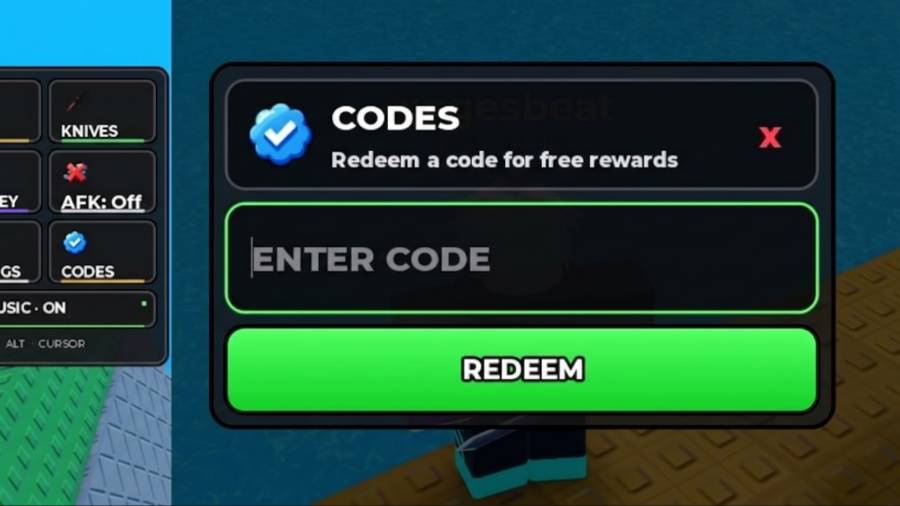
Redeeming codes is straightforward if the current game version has the code redemption option available.
Follow these steps:
- Open Huss Valley on Roblox.
- Wait for your character to load into the game.
- Look for the Codes button, usually near the top-right corner of the screen.
- Enter one of the codes from the list.
- Click Redeem to claim the reward.
If the button is missing or the code does not work, check that you have joined the correct Huss Valley experience. Roblox has other similarly named games, and their codes may not be interchangeable.
What Are Huss Coins Used For?
Huss Coins are the in-game currency used to improve your progress in Huss Valley. You can spend them on upgrades and cosmetic items available through Huss Town Square.
Depending on your priorities, you might want to save your coins for movement upgrades or spend them on items that make your character more personalized.
Using available codes before spending your existing balance is a simple way to build up extra currency.
Why Huss Valley Codes Not Works Sometimes?
If a code fails, do not assume that every code in the list is expired. A few common issues can prevent a reward from being claimed.
1. Check the spelling
Codes often contain a mixture of letters and numbers. Enter the code exactly as shown, without adding spaces at the beginning or end.
Copying and pasting the code can help prevent typing mistakes.
2. Join a fresh server
If a code was released with a recent update, an older server might not recognize it. Leave the game and rejoin through the official Roblox page before trying again.
3. You may have already redeemed the code
Many Roblox codes can only be used once per account. If you have already claimed a reward, entering the same code again may not work.
4. The code may no longer be active
Developers can remove codes or replace them with new ones. If a code consistently fails in a fresh server, it may no longer be valid.
5. Make sure you are playing the correct game
Check the game's title and developer before redeeming codes. A code for another Huss Valley experience may not work in Huss Valley.
How to Find More Huss Valley Codes
New codes can appear when the developers release updates, fix problems, or reach community milestones. Here are the best places to check for additional rewards.
- Official Roblox game page: Check the game description for codes published by the developer.
- Games group hahaa community: Look for announcements related to updates and rewards.
- Community announcements: Developer posts and game-related announcements may mention newly released codes.
- Updated code guides: Check a recently updated list, but verify codes in-game whenever possible.
You can also bookmark this page and return when the game receives another update.
Where can I play Huss Valley?
You can find the game on Roblox. Make sure you open the correct experience before trying to redeem any codes.
Huss Valley codes are a useful way to collect extra Huss Coins and make progress without relying entirely on regular gameplay. Start with the two codes listed by the developer, then try the additional codes reported by gaming websites.
Remember that code lists can become outdated quickly. If a code does not work, check its spelling, rejoin a fresh server, and confirm that it belongs to the correct game.
We will keep this guide organized around newly reported codes and their rewards so you can check for updates whenever you return to Huss Valley.