You do not need to be on camera to create TikTok videos.
That is one of the biggest changes AI has brought to short form content. You can now create videos using AI avatars, product screen recordings, text, images, voiceovers, and other visual elements without sitting in front of a camera every time.
For creators, founders, and small businesses, this can make creating content much easier. You can focus on the idea and the message instead of worrying about lighting, recording, editing, or how you look on camera.
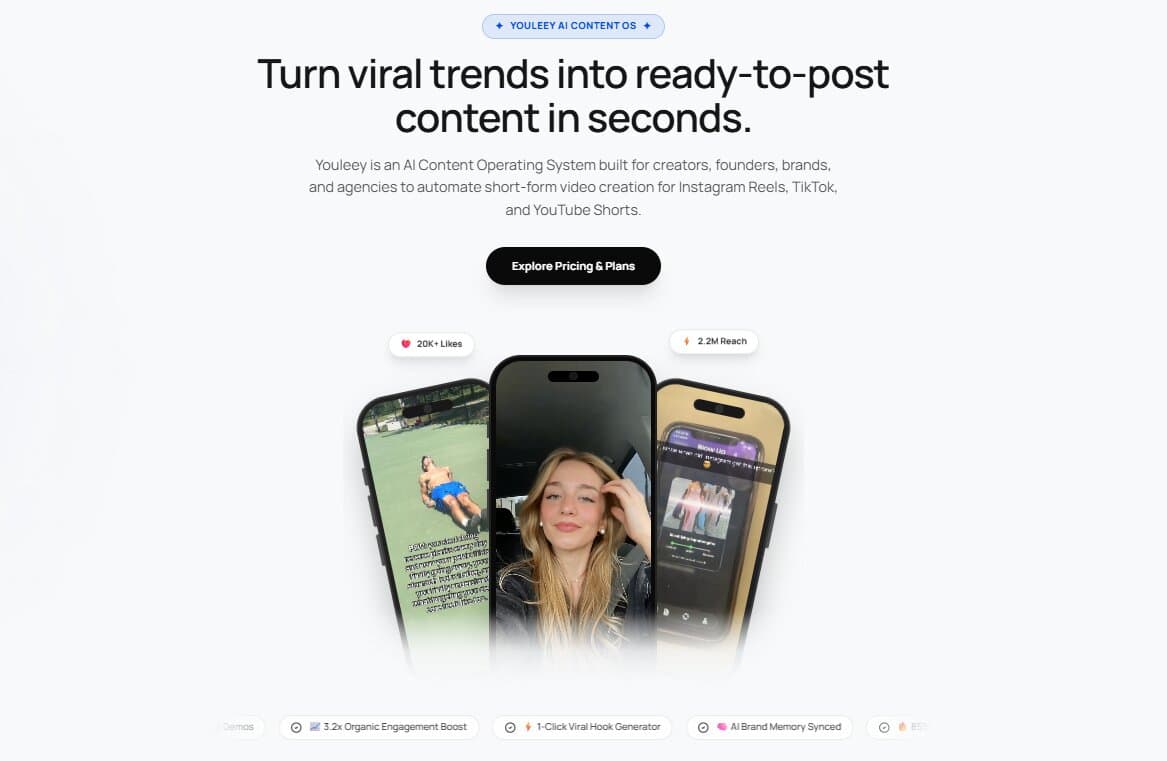
Tools like Youleey can also help with this process. Youleey is built around short form content and can turn a product or website into ready to post video formats, including hook and demo videos, videos with text, and AI presenter videos.
Here is how you can create TikTok videos with AI without going on camera.
1. Start With a Simple Video Idea
Before opening an AI tool, decide what your video is about.
You do not need a complicated idea. In fact, simple ideas often work well for TikTok.
For example:
“3 things I wish I knew before starting a business”
“This tool saved me hours every week”
“Here is how I edit my videos without using a camera”
“Stop doing this if you want more views”
“Here is a faster way to create product videos”
The important part is to give the viewer a reason to keep watching in the first few seconds.
2. Find a Strong Hook
The opening of your video matters because people can scroll away very quickly.
Instead of starting with a long introduction, get straight to the point.
For example, instead of saying:
“Hi everyone, today I am going to show you how to create TikTok videos with AI.”
You could start with:
“You do not need to show your face to make TikToks.”
That immediately tells the viewer what the video is about.
You can also study videos that are already performing well in your niche and look at how they start. Youleey has a video analyzer that can break down reference TikTok and Instagram videos, including their opening hook, camera setup, and spoken content.
This can help you understand the structure behind a video instead of simply copying someone else's content.
3. Create an AI Presenter
One option is to use an AI presenter instead of recording yourself.
An AI presenter can appear on screen and deliver your script. You can write the script yourself or use an AI writing tool to help create it.
This works well for videos such as:
Product explanations
Tutorials
Software demonstrations
Educational videos
Tips and list videos
Short business videos
The key is to keep the script natural. Do not make the presenter sound like it is reading a formal advertisement.
Write the way you would normally speak to another person.
4. Use Screen Recordings Instead of Your Face
You do not always need a person in the video.
If you are promoting an app, website, or software product, a screen recording can be much more useful than a talking head.
For example, you can start with a strong text hook, show the problem, and then show the product solving it.
A simple structure could be:
Hook
Show the problem
Show the product
Show how it works
Finish with a simple next step
This is one of the video formats available in Youleey. Its Hook and Demo format combines an opening hook with a product screen recording, which makes it useful for SaaS products, apps, and websites.
5. Add Text to Your Video
Text can carry the entire video if you do not want to use an AI presenter.
You can create a video using a background, product clips, screen recordings, images, and text.
For example:
“Still spending hours editing TikToks?”
“Here is a faster way.”
“Add your website.”
“Choose a video format.”
“Generate your video.”
This style is especially useful when you want to make several videos from the same idea.
Youleey also supports videos with text and carousel formats, so you can create different versions of the same content instead of relying on one video style.
6. Add a Voiceover
If you do not want your face on camera but still want someone to explain the video, you can use a voiceover.
Write a short script and use an AI voice to read it.
Try to keep the voiceover conversational. Short sentences usually sound more natural.
For example:
“Most people think you need a camera to make TikToks.
You don't.
You can start with a simple hook, show your product, and use AI to put the whole video together.”
This is much easier to listen to than a long paragraph.
7. Keep the Video Short
You do not need to explain everything in one TikTok.
Pick one idea and focus on it.
If your topic is “How to create TikTok videos with AI,” you could turn it into several videos:
How to make TikToks without showing your face
How to create an AI presenter
How to write TikTok hooks with AI
How to create product demo videos
How to turn a screen recording into a TikTok
How to create TikTok videos faster
This gives you more content without having to create a completely new topic every time.
8. Make the Video Feel Human
AI can help you create the video, but you still need to give it your own point of view.
Avoid filling the video with generic phrases.
Instead of:
“AI is changing the world of content creation.”
Say something specific:
“I used to spend hours putting together one short video.”
Specific details make content feel more real.
You can also use your own product recordings, screenshots, examples, opinions, and experiences. AI should help you create the content, not remove your personality from it.
9. Check the Video Before Posting
Always watch the final video before publishing it.
Look for strange AI voice pronunciation, awkward pauses, incorrect text, spelling mistakes, fake looking visuals, or claims that are not true.
If you are showing a product, make sure the product looks and works as it does in real life.
This is especially important when AI is generating parts of your video.
10. Remember TikTok's AI Content Rules
TikTok allows AI generated content, but there are rules around transparency.
TikTok says creators should label content that is completely generated or significantly edited by AI. TikTok can also automatically add an AI generated label in some cases.
TikTok also says that AI should not be used to create misleading content or impersonate people without permission.
So if your video uses a realistic AI person, voice, or other significant AI generated elements, check the AI generated content setting before posting.
Can You Really Create TikToks Without Showing Your Face?
Yes.
You can combine an AI presenter, voiceover, screen recording, text, product footage, images, and a strong hook to create a complete TikTok without recording yourself.
The bigger challenge is not making the video.
It is making a video that people actually want to watch.
That means spending more time on the idea and the opening hook and less time worrying about whether you have the perfect camera setup.
For people who create content regularly, a tool such as Youleey can bring several parts of this process together. You can add your website or brand, choose a content format, create hooks, and generate short form content without doing all the editing manually.
You can also use it to study existing TikTok and Instagram videos and understand how their hooks and formats work before creating your own version.
Final Thoughts
Creating TikTok videos no longer means that you have to set up a camera, record yourself, and spend hours editing every video.
AI gives you another option.
Start with a simple idea. Find a strong hook. Use an AI presenter, voiceover, screen recording, or text based format. Keep the video focused and make sure everything you show is accurate.
Most importantly, do not let the technology become the whole point of the video.
People still care about useful ideas, interesting stories, and content that solves a real problem.
AI can help you make the video.
The idea is still yours.